How to Rank on Google as a Photographer
Article by Frederik Trovatten
I'm a photographer, filmmaker and founder of Underexposed. Before making photography my main focus, I spent more than 17 years working in digital marketing and SEO.
Many photographers have years of good work sitting in one gallery. Portraits, travel photographs, commercial assignments and personal projects appear together in a website template, with very little explanation.
Someone who already knows you might enjoy browsing it. Someone searching for a particular subject, service or location needs a page that makes the connection clear.
If you have photographed Day of the Dead, give that work a Day of the Dead photography page. If you photograph corporate portraits, explain that service on its own page. Show the photographs and use words to describe what someone is looking at.
Photography SEO is the work of making your photographs, projects and services easier to discover through Google. It involves useful pages, images Google can access, a clear website structure and an accurate business presence.
I'll show you how I approach it, using my own photography and the process I teach in Underexposed.
On this page
How search has led to opportunities for my photography
A gym has bought several prints of my Muay Thai photographs. More recently, a new Muay Thai gear brand found my work through Google and contacted me about creating commercial lifestyle photographs for its equipment.
I declined for now because I wasn't in Chiang Mai. It was a real commercial enquiry, but it did not become a booked shoot.
You can see the work on my Muay Thai photography page. It gives that body of work a home where someone unfamiliar with me can understand what I photographed and my connection to the sport.

Different projects create different opportunities. Sony Music once contacted me about my Day of the Dead photographs for a potential Depeche Mode project. That project did not go ahead, but the enquiry showed that the work could interest someone outside the photography audience.
Search can also help someone find the photographer behind a campaign they already recognise. The agency that booked me for Coca-Cola in 2025 had seen my Burger King campaign at Cannes and searched for the photographer behind it.
Those are different routes: finding a subject, finding someone who can create similar work, and finding the person behind a known campaign. Your website should give each route a useful destination.
Two kinds of searches to understand
A search such as "wedding photographer Copenhagen" usually comes from someone looking for a service in a particular place. They need relevant work, availability, practical information and a way to enquire.
A search such as "Muay Thai photographs" is broader. The person might be a gym owner, editor, print buyer, brand or another photographer. A project page can help them discover the work and the person who made it.
The audience and the page's job differ. Choose the approach that fits the opportunities you want.
Find the searches that fit your work
Start with the photographs you have made and the work you want more of. A list of popular photography keywords is only useful when those searches connect to something you can offer.
Take five minutes and write down:
- The services people can hire you for.
- Subjects and places you have photographed extensively.
- The style or approach that makes your work relevant.
- Other things you actually offer, such as prints or workshops.
Then think about how someone unfamiliar with photography would describe them.
Use the language your clients use
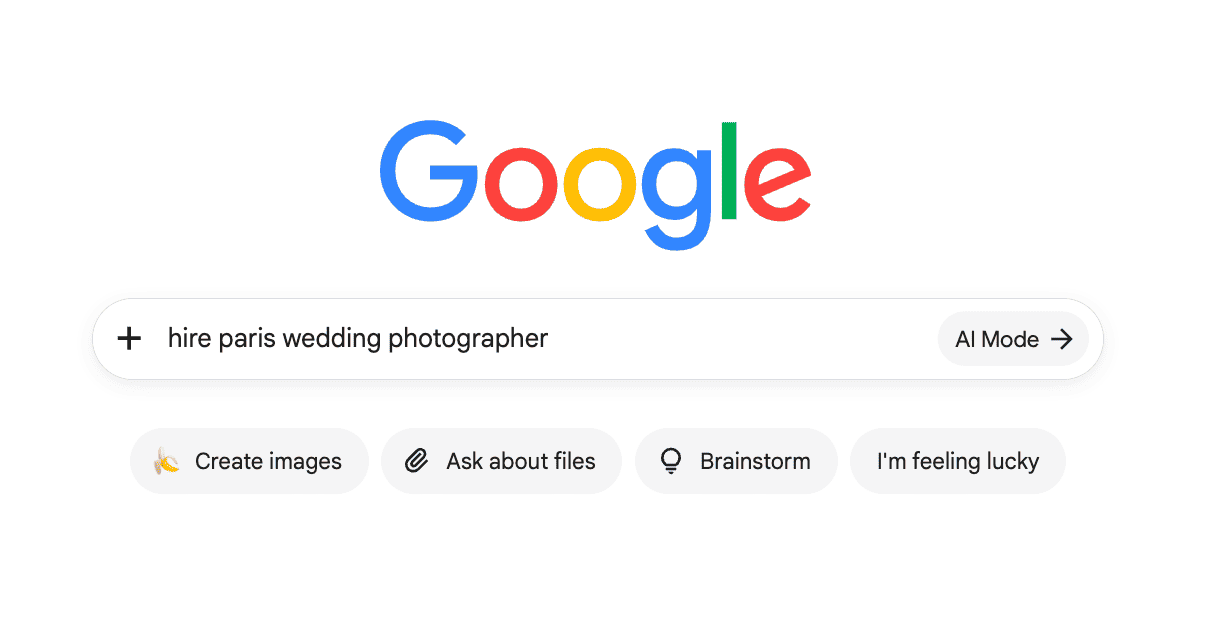
You might call a service "corporate headshots". A business owner might search for "photographer for employee pictures". Both can describe the same need.
Use your clients' language alongside the terms you use professionally. Their location and language matter too. If your clients search in Danish, an English-only page may miss the way they look for the service.
For a service, a useful starting pattern is:
Photography service + location
For a project, it might be:
Subject + photographs
Or:
Subject + photography + location
These are starting points for research. They are not a requirement to repeat the same phrase throughout a page.
Group related searches into one page
I organise my work around subjects and projects such as Mexico City, street portraits and Day of the Dead. Each group gives me a clear idea of what belongs together.
For your own website, a simple planning table could look like this:
| Work you want to show or offer | Searches to investigate | Page to create or improve |
|---|---|---|
| Corporate portraits in your city | Corporate headshots, employee photographs, business portraits + city | One corporate portrait service page |
| A Muay Thai photo essay | Muay Thai photographs, Muay Thai photography, Chiang Mai boxing photographs | One project page |
| Wedding photography in your region | Wedding photographer + location, documentary wedding photography + location | One wedding service page |
| An extensive project in a neighbourhood | Neighbourhood name + photographs or photography | One location or project page |
The search phrases are suggestions to investigate, not verified demand estimates.
You can see how a location becomes a distinct subject in my Mexico City photography portfolio.
Inspect the results before choosing the page
Search a few of your phrases and look at the results. Are you seeing local photographers, Maps listings, photo essays, directories or educational articles?
A service search needs a page that helps someone choose and hire a photographer. A search for photographs of a subject needs the photographs and enough context to understand them.
If you already have Search Console data, use the queries appearing for your pages as another source of ideas. A keyword tool can add estimated volume and competition data, but treat those estimates as context for your decision.
AI tools can help expand a brainstorm. Give them your services, location, audience and initial ideas, then review the suggestions. Remove anything you do not offer. An AI-generated keyword list does not establish that people search for those phrases.
Give each project and service a useful page
Your homepage introduces you. Your portfolio helps people browse. Individual pages let someone arrive directly at the work or service they were looking for.
Related phrases can often belong on the same page. "Wedding photographer Copenhagen" and "Copenhagen wedding photography" do not need two nearly identical pages. A corporate portrait service and a wedding service usually do need different pages because the work, clients and booking questions differ.
A worked example from my Muay Thai page
The page starts with a clear subject: Muay Thai photography. The introduction names the stadiums in Chiang Mai and explains that I was training at Hongthong Muay Thai.
The photographs have context. I describe anticipation, the fighters, prize money, the people around the ring and what happens after a bout. My own experience of training and fighting explains how I came to notice those things.
That is material from the project itself. It helps a visitor understand the photographs and why I made them. It also gives Google textual information about the subject and location.
Use the same process for one of your projects:
- Name the subject clearly. Make the heading understandable to someone who has never heard of you.
- Write a short introduction. Explain what you photographed, where it happened and your role.
- Show the work early. Put a strong selection near the beginning.
- Add the context only you can provide. Explain the people, access, approach or circumstances behind the photographs.
- Offer a relevant next step. Tell visitors how to ask about prints, licensing or a similar assignment, where those options are available.
Write in your own voice first. You can review the text against your keyword ideas afterwards and add any relevant detail you missed. This is the process I teach in the course: begin with what you know and have photographed.
There is no useful universal word count. Write enough to explain the work. Keep the opening concise on a phone, and place longer background where it helps the story. Google's people-first content guidance also asks whether a reader leaves with a satisfying, useful answer.
A service page needs booking information
A project page shows what you made. A service page explains what someone can hire you to make.
My commercial street photography page brings relevant campaigns together for brands and agencies. For your service page, answer the questions your clients ask before contacting you:
- What do you photograph, and who is the service for?
- Where do you work, and do you travel?
- What does the shoot involve?
- What information do you need to prepare a quote?
- Which relevant projects or client accounts can someone inspect?
- How can they enquire?
End with a specific action. "Discuss a commercial photography project" gives the visitor more direction than "Learn more". My own contact page is the destination for those enquiries.
Create location pages when you genuinely serve the place and have useful information to add. Local projects, venues, travel arrangements and relevant client accounts can make the page worthwhile. A city name pasted into otherwise identical copy does very little for the visitor.
Give the page a descriptive title
A page title might read:
Corporate Headshot Photographer in Copenhagen | Your Name
The visible heading can be simpler:
Corporate Portrait Photography in Copenhagen
Keep the title and main heading clear and consistent with the page. Google can generate the title shown in search from several sources, so your chosen title is guidance rather than a guaranteed display. Google's title guidance.
A meta description is a short introduction to the result. Explain what the visitor will find and why it is relevant. Google may use it or select other page text that better fits the search. Google's snippet guidance.
Connect the pages through internal links
Link your important services and projects from the homepage, navigation or portfolio hub. Then connect related pages where the relationship helps the reader.
A campaign page can link to the commercial service it demonstrates. A guide can link to the relevant project. A venue story can link to your wedding service.
Use descriptive link text, such as "Day of the Dead photography project", so the visitor understands the destination. Make the links normal, crawlable website links. Google's internal linking guidance explains both the markup and the value of clear link text.
Get found locally through Google Maps
If you photograph clients in a particular city or region, Google Business Profile deserves attention alongside your website.
Google's local results consider relevance, distance and prominence. Complete business information helps establish what you offer; distance depends on where the search takes place; recognition, links and reviews contribute to prominence. Google's local ranking guidance.
Start with an accurate profile:
- Use your real business name and the most appropriate category.
- Describe the services you actually offer.
- Add your website, contact details and relevant photographs.
- Keep your address or service area accurate.
- Follow Google's rules for your type of business and its operating hours.
The name must reflect the business as it exists in the real world. Additions such as "best wedding photographer" are not a naming strategy. If you work from home and travel to clients, check the service-area rules and hide the residential address where required. Google's business representation guidelines.
Ask real clients for honest reviews
After an assignment, make reviewing you straightforward. Send the client the direct review link and ask for an honest account of their experience.
For example:
Hi Anna, thank you again for the portrait session. If you'd like to share your experience, you can leave a Google review here: [your review link]. It would help people considering a similar session. Thank you, Frederik.
Let the client choose the words and rating. Request reviews consistently from eligible clients, including people whose feedback may be mixed. Avoid incentives, scripted praise or asking only for positive reviews. Google's review policies.
There is no magic review count that makes a business legitimate or guarantees a position. Build a habit of collecting genuine feedback.
Bing and Apple Maps are worth considering when those services are relevant to your clients. Keep the business details accurate across the listings you maintain. Prioritise a complete, useful Google profile before spreading your attention across more services.
Help Google understand your photographs
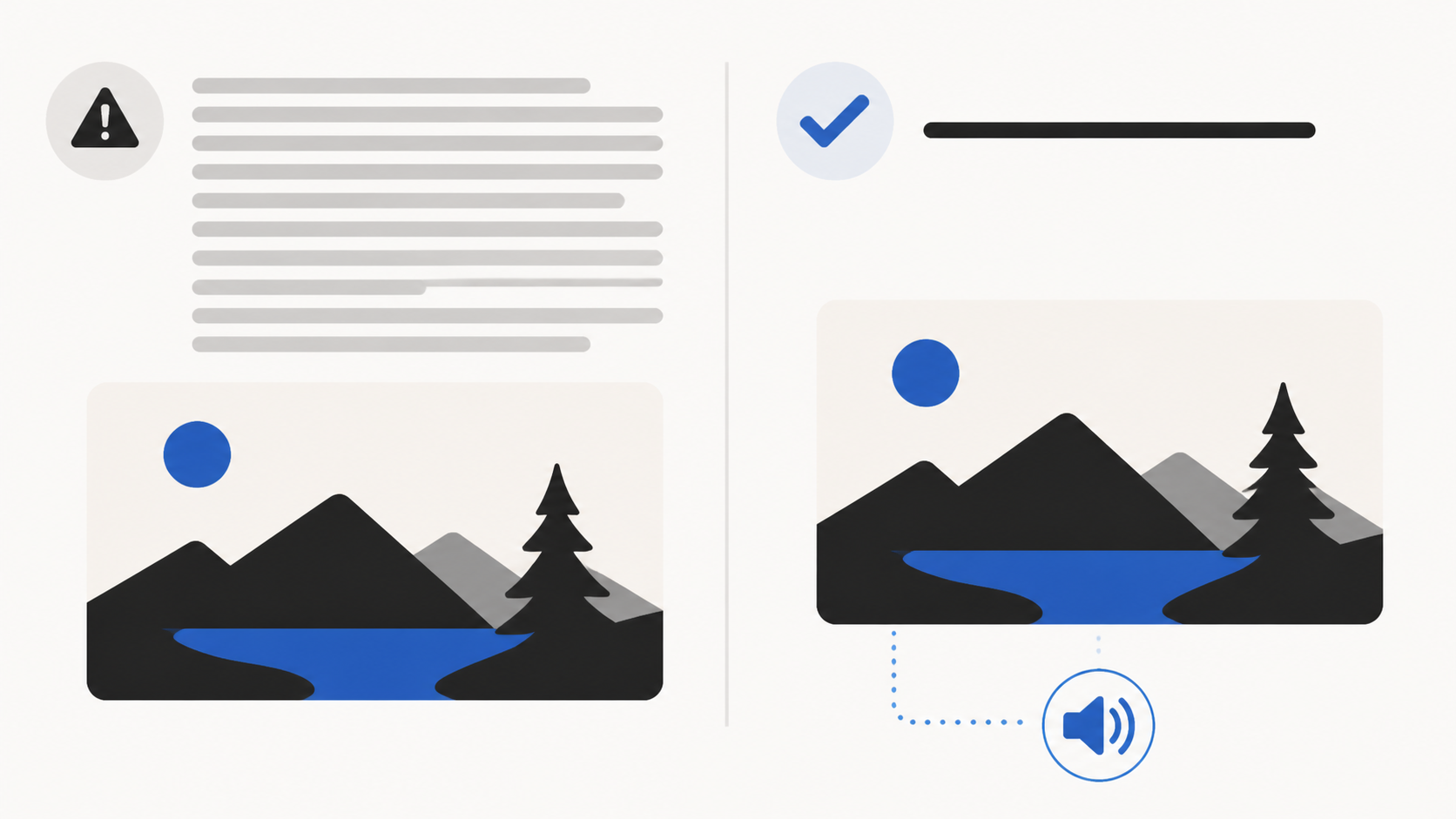
Give important photographs a clear home on the page about their subject. The images, introduction and surrounding text should tell a coherent story.
Describe each meaningful image accurately in its alt text. Alt text supports accessibility and gives search engines additional context. "Two Muay Thai fighters embrace in the ring after a bout in Chiang Mai" tells the reader what is visible. A repeated list of photography keywords does not.
Use short, descriptive filenames for new exports. Existing images do not all need to be replaced just to change a filename; Google describes filenames as providing very light clues. The page context and useful image descriptions deserve attention too. Google's image SEO guidance.
Keep the photographs good and the page usable
In the course, I demonstrate a Lightroom export starting point of roughly 1,500 pixels on the long edge, JPEG quality 65 and sharpening for screen. Those are settings to test on your photographs, rather than a requirement for every website.
Inspect detail and file size, then check the result on both a phone and a large screen. A full-width photograph may need a larger version. Responsive images allow the website to serve appropriate sizes for different screens.
If your platform or developer handles the technical setup, ask for appropriately compressed files, responsive sizes, stable image dimensions and efficient loading. Large galleries should load sensibly as someone moves through the page. The main photograph at the top should appear promptly.
Google considers Core Web Vitals within its ranking systems, but good scores do not guarantee a top position. Assess the overall experience: can people see the photographs, read the page and contact you comfortably? Google's page experience guidance.
Separate the project story from detailed gear advice
A project page can concentrate on the photographs and people. If technical choices deserve a longer explanation, link to a relevant supporting guide.
For example, I have a separate Fujifilm camera guide. That gives equipment questions their own place without making every portfolio project into a camera review.
Check that the page can be discovered
Use Search Console to inspect an important page. Check that Google can access it and whether it is indexed. Also check your sitemap, internal links and any accidental noindex setting, especially after a redesign.
Before changing an established URL, find out whether it receives traffic or links. If it must move, redirect the old address to its equivalent replacement and update your internal links. Google's site move guidance explains how to preserve those connections.
What about Google AI search
Google says the same SEO foundations apply to its AI Overviews and AI Mode, with no special markup or additional technical requirements for inclusion. That guidance covers Google's features; it does not establish how every AI tool selects recommendations. Google's AI search guidance.
For a separate introduction to that discovery channel, you can watch my free lesson on how photographers get discovered on ChatGPT.
Build recognition beyond your website
Your website presents your work. Client credits, independent coverage, interviews and other relevant mentions give people additional ways to discover and assess it.
In the course, I show a Musicbed interview that linked to my Burger King project. I also explain how I returned to a journalist who had covered an earlier video in my photography series when I had a relevant new instalment.
These are practical starting points: an existing relationship, a relevant story and work the other party has a reason to publish.
Look for opportunities connected to your actual photography:
- Clients and agencies publishing campaigns you worked on.
- Publications covering your subject, project or local area.
- Venues and collaborators with relevant supplier or project pages.
- Organisations that have exhibited or licensed your photographs.
- Interviews about work you can discuss in depth.
Ask for accurate credits and a link to the relevant project where appropriate. For new coverage, research what the publication runs and explain why your story fits. My guide to getting published as a photographer takes you through that process.
Competition recognition can be another source of evidence, but examine what the competition actually offers and how it selects its winners. My photography competitions guide explains the concerns I look for.
You can also introduce useful project pages to communities interested in the subject. My Reddit guide for photographers explains why a community about the thing you photographed can be a good place to share the work. Follow its rules and participate with something relevant to its members.
Make your experience easy to inspect
Name the client when you can, describe your role, credit collaborators and explain which photographs are personal work or commissioned work. Link to the projects behind your claims.
An identifiable author, accurate dates and a useful About page help readers understand who is speaking. Google's E-E-A-T framework considers experience, expertise, authoritativeness and trustworthiness. Google emphasises trust and says E-E-A-T is not itself a specific ranking factor. Google's guidance on helpful content.
For photographers, the strongest material is often already available: your photographs, your knowledge of the subject, your production experience and the people who have worked with you. Put that evidence where a visitor can inspect it.
Measure searches enquiries and paid work
Google Search Console shows how your pages appear in Google Search, including impressions, clicks and queries. Use page and query filters to focus on the work you are improving. It does not tell you which enquiry became a paying client. Search Console's performance report guidance.
Keep a simple record for an important page:
- The page URL and what you changed.
- The date of the change.
- Relevant queries, impressions and clicks.
- Enquiries connected to the page or subject.
- Whether those enquiries became sales or bookings.
Compare similar periods and consider seasonality. A festival project may receive more interest around the event each year. Avoid attributing every change in traffic to your last edit.
Ask people how they found you when it is natural to do so. If they only say "Google", record that. If they name the page or query, keep that detail. Leave unknown information unknown.
The distinctions matter in my own examples. The gym bought prints. The gear brand made an enquiry that I declined. The Sony Music project did not proceed. The Coca-Cola project became a commission. Treating all of those as bookings would give a misleading picture of what search produced.
How long does photography SEO take
There is no reliable deadline for a ranking or an enquiry. The starting website, search, competition and work you put into the page all matter.
Review progress over months rather than expecting the first week to establish a trend. Early checks should confirm that the page is accessible and indexed. Later, look at which relevant searches show it and whether useful enquiries follow.
Your objective is to build a website that gives your work clear, useful destinations and improves as you learn how people discover it.
Start with one page
Choose a substantial project you have already photographed, or the service you most want to be hired for. Make that page useful before expanding the plan.
This week:
- Gather the relevant photographs and your notes about the work.
- Write down the subject, service, location and language a visitor would use.
- Inspect a few relevant searches and decide what the page needs to answer.
- Write a short introduction, show the photographs and add specific context.
- Give visitors a clear next step and link the page from an appropriate place on your website.
- Check it on a phone and inspect it in Search Console.
If local clients are central to your business, make your Google Business Profile part of that first week's work too.
Then repeat the process for another worthwhile project or service. Keep the pages connected and review the enquiries they produce.
For the wider work of finding clients, see my guide to getting photography clients. If you are putting the business itself together, my guide to starting a photography business covers that broader foundation.
Your next useful SEO step may already be sitting in your photo archive. Choose the work, give it a page and explain what someone unfamiliar with you needs to know.